
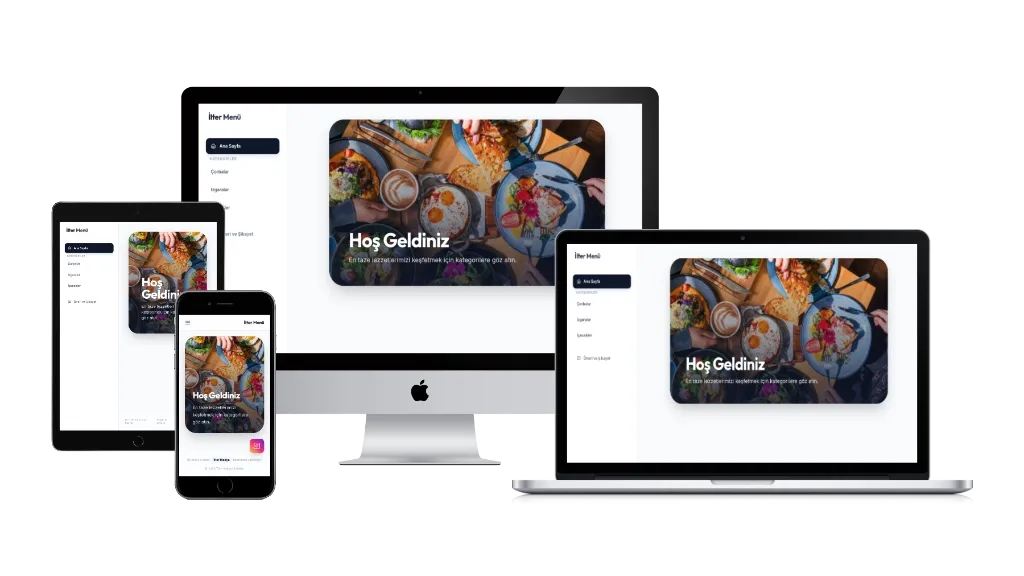
Digital QR Menu System is a full-featured web application that enables cafes and restaurants to present their menus in a modern, elegant digital format.
The user interface delivers a premium look with Tailwind CSS and Glassmorphism aesthetics. Customers can browse products listed by category, view large images and descriptions in a detail popup, and submit feedback through an integrated suggestion and complaint form.
The admin panel provides a single-page experience powered by Alpine.js. Categories and products can be reordered, images uploaded, and prices and descriptions edited with ease. The homepage welcome text, hero image, and Instagram integration are all controlled from the panel.
On the security side, session management is handled via PHP Sessions and SQL Injection protection is ensured through PDO. The system runs on all shared hosting environments including cPanel and Plesk without any additional dependencies.
Installation Instructions
- Create a new MySQL database and user from your hosting control panel.
- Run the SQL queries from the
database.sqlfile in your database using phpMyAdmin or a similar tool. - Open
config.phpand update the database connection details (DB_HOST, DB_NAME, DB_USER, DB_PASS) with your own credentials. - Upload all project files to your server's root directory or a subdirectory (e.g.,
/menu) via FTP or file manager. - Ensure the
uploads/directory has write permissions (755 or 777). - Access the admin panel by navigating to
yoursite.com/login.phpin your browser. - Default login credentials: Username:
admin/ Password:admin123— It is recommended to change your password after the first login.